
JetBoost1.1 - Download
You'll be able to download in few seconds.
Publisher Description
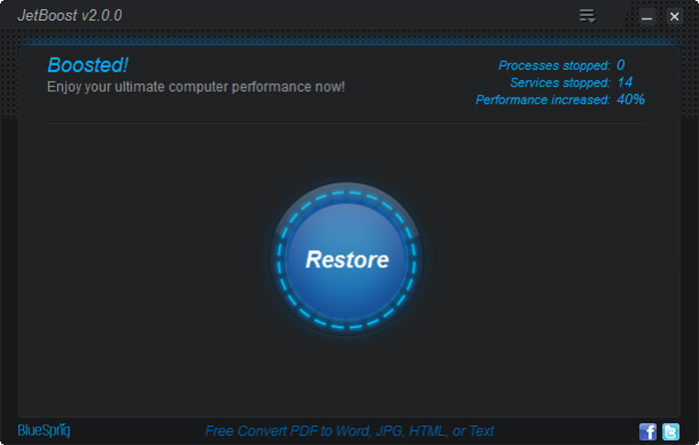
JetBoost
At a glance:
JetBoost releases more system resources by closing unnecessary background processes and services, thus tweaking your system to its top performance. It scans the running system processes/services and groups them into four major categories, and provides three modes for Boosting. With a simple click, it can speed up your PC to its top performance.
Three modes for Boosting-Game, Work, Custom:
Game and Work mode are pre-configured modes in which processes/services are shut by default on data collected. Game mode allows Faster Game Launching and Response whilst Work mode provides the best configuration for working by shutting down unnecessary processes and services.
Custom mode provides a way for users to customize unnecessary system processes/services to build their own favorite boosting mode. By grouping the running system processes/services into four major groups-"Processes", "Services", "Non-Windows Services", "Other"-it gives users a clearer general understanding about their system running status so as to better configure the boosting type.
Special Features:
Clean RAM:Optimizes memory usage to increase available physical memory.
Clean Clipboard:Removes data saved to Clipboard to free memory.
Disable auto update:Save you from being interrupted by automatic update when gaming/working.
Game power solution:Optimizes your PC power setting to deliver a powerful gaming experience.
Close Explore:Shuts down explorer.exe to release more system resources.
Lower process priority :Prioritizes which programs which run in what order to speed startup.
One Click Solution
JetBoost is able to boost and restore your system by turning on/off processes/services with only one single click. It only takes you a few seconds to make your pc running at its fastest speed!
About JetBoost
This System Maintenance program is available in English, Bulgarian, Catalan, ChineseSimplified, ChineseTraditional, Dutch, Estonian, French, German, Italian, Japanese, Malay, Polish, Portuguese, Russian, Spanish, Turkish. It was last updated on 29 September, 2026. JetBoost is compatible with the following operating systems: Windows.
The company that develops JetBoost is BlueSprig Inc.. The latest version released by its developer is 1.1.
The download we have available for JetBoost has a file size of 2.1 MB. Just click the green Download button above to start the downloading process. The program is listed on our website since 2012-02-21 and was downloaded 0 times. We have already checked if the download link is safe, however for your own protection we recommend that you scan the downloaded software with your antivirus. Your antivirus may detect the JetBoost as malware if the download link is broken.
How to install JetBoost on your Windows device:
- Click on the Download button on our website. This will start the download from the website of the developer.
- Once the JetBoost is downloaded click on it to start the setup process (assuming you are on a desktop computer).
- When the installation is finished you should be able to see and run the program.
Program Details
General
System requirements
Download information
Pricing
Version History
version 2.0
posted on 2012-11-28
Brand new user interface for better user experience; Revolutionized boost concept and process to increase boost effectiveness and efficiency; Increased boost speed to deliver a faster PC more efficiently; Enhanced multi-lingual support with more added interface languages; Fixed bugs.
version 1.1
posted on 2012-02-21
+ Brand new user interface
+ Added portable version
+ Added more supported language: ChineseTrad, Estonian, Dutch, German, Japanese, Turkish
+ Added support for Windows 8
+ Improved boost functionality for more stable performance
+ Improved user experience
+ Fixed bugs in the previous version
version Beta 1.0
posted on 2011-10-17
New Release.
Disclaimer
External Download
We do not host JetBoost on our servers. We did not scan it for viruses, adware, spyware or other type of malware. This app is hosted by the software publisher and passed their terms and conditions to be listed there. We recommend caution when installing it.
The external download link for JetBoost is provided to you by apps112.com without any warranties, representations or guarantees of any kind, so access it at your own risk.
If you have questions regarding this particular app contact the publisher directly. For questions about the functionalities of apps112.com contact us.
